Dashboard Template

How to start selling on Zama Brands Seller Center

Welcome to Zama Brands Seller Center, the dedicated platform for brands and businesses to showcase their products and services professionally on Zama Shops. This step-by-step guide will help you create your seller account, set up your brand profile, publish products or services, manage customer inquiries, and grow your business successfully. Verified brand accounts receive a verification badge to build customer trust, improve credibility, and increase visibility across the Zama Shops marketplace.

START SELLING

Getting Started

Create an Account:

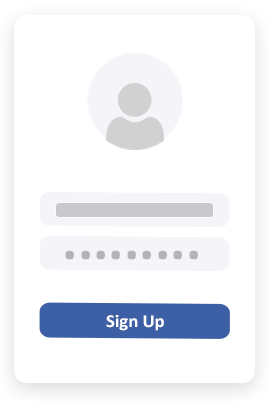
  • Visit Zama Shops and open the Zama Brands Seller Center. Click "Create Brand Account" to register your business.
  • Click on Create Brand Account.
  • Fill in the necessary information such as brand name, contact info, and verification documents.
  • After registration, sign in to your Zama Brands Dashboard to start managing your business profile.
Note: The Zama Brands Seller Center is separate from the standard Zama Shops seller dashboard and is designed specifically for verified brands and companies.

createanaccount
addbanner
Add Brand Categories (Required Before Product Listing)

  • Add Categories
Add your desired categories (e.g., Clothing, Electronics, Cosmetics).

Make your brand page more appealing by adding your Business Banners:

  • Go to Brand Profile > Upload Banner
  • Upload a high-quality image with the following dimensions:
  • Banner Requirements:
  • Dimensions: 1897 x 535 pixels
  • File Format: JPG or PNG

Now You're Ready to List Your Products or Services

  • Go to Product Listings > Add New Product
  • Fill in product details like title, description, price, and stock status.
  • Choose a category (must be created earlier).
  • Upload your product image.
  • Add:
  • Custom questions for customer queries.
  • Customizable button for CTA (Call-to-action).
Upload product/service details and select appropriate category.

Product Image Requirements:
Dimensions: 585 x 561 pixels
File Format: JPG or PNG

nowreadytoaddproduct
customapplicationorder
Custom Application & Order Forms:

Brands can attach a custom application form to their services/
products to collect necessary details from potential customers.
This feature is especially useful for service providers,
job applications, or investment offers.

Fields you can include:

  • Full Name
  • Mobile Number
  • Email
  • City
  • Address
  • Nearest Landmark
  • Job Title
  • Company Name
  • Short Answer Questions (Customizable)
This form appears right under the product/service post with a custom action button
(e.g., Book Now, Apply Now, Get Quote, Sign Up, etc.).

specialfeaturesduringlisting
Special Features During Listing:

  • Button Customization: Add a CTA (Call to Action) button to your post.
  • Examples: Buy Now, Book Now, Learn More, Apply Now, See Menu, Sign-Up
  • You can also add a custom link for this button.
  • Boosting Options (Past URL for button results):
  • Get more Calls
  • Website Visits
  • Increase Orders
  • Promote Services
  • Customer Questions:
  • Add custom questions to be answered by your customers.
  • Helpful for services and real estate listings.

Custom Button Options:
While listing a product or service,
brands can add a customizable call-to-action button that appears below every listing.

  • Button Text Options:
  • Buy Now
  • Book Now
  • Learn More
  • Apply Now
  • See Menu
  • Sign Up
  • You can link this button to any URL via the dashboard.

custombuttonoptions
dashboardmanagement
Dashboard Management:
Your Zama Brand dashboard includes the following features:

  • Add/Edit Categories
  • Upload Banner
  • Product Listings with CTA buttons
  • Manage Orders & Leads
  • Analytics & Insights
  • Custom Questions Setup
  • Link Redirection from CTA Button
Zama Brand is focused on professional sellers, services, and corporate offerings.
Zama Brand is ideal for companies, startups, or services looking to showcase their offerings professionally.
It supports dynamic product listings, service ads, booking features, real estate investments, and more.
Need Help?
Contact the support team or explore help videos inside the Zama Brand dashboard.
Thank you for choosing Zama Brand to grow your business professionally.

Business Verification:

All brand and company accounts will be Verified
to build trust and credibility with customers.
The verified badge will be shown on their profile and product/service posts.
This process confirms the legitimacy of your company
and verifies the authorized contact person managing the brand account.
Verified brands gain more visibility, build greater trust with potential buyers,
and are seen as more professional and credible on the platform.

Benefits of Verification on Zama Shops:

  • A Verified Badge is displayed on your profile and product/service posts.
  • Increases customer confidence and boosts conversion rates.
  • Strengthens your reputation and authenticity.
  • Gives access to premium features and greater exposure.

businessverification
livechat
Live Chat conversation:

Customers can directly chat with brands through the product or service post.
This enhances communication and support,
making it easier for customers to inquire or negotiate.
Connect better with your customers using our built-in voice messaging and image sharing features.
Answer inquiries faster, clarify product or service details,
and build trust by adding a personal touch β€” all through real-time communication within your post.

Grow Your Business with Zama Brand:

You've set up your Zama Brand account, published your products or services,
and started receiving orders. Now it’s time to take your business to the next level.
Boost your visibility, attract more customers, and increase sales by using Zama Shops
powerful marketing tools.
From sponsored listings and customizable call-to-action buttons to direct customer chats
and data-driven insights β€” Zama Shops gives you everything you need to grow faster
and smarter.
Start now, and turn every post into a new business opportunity.

growyourbusiness